WhatsApp APIs
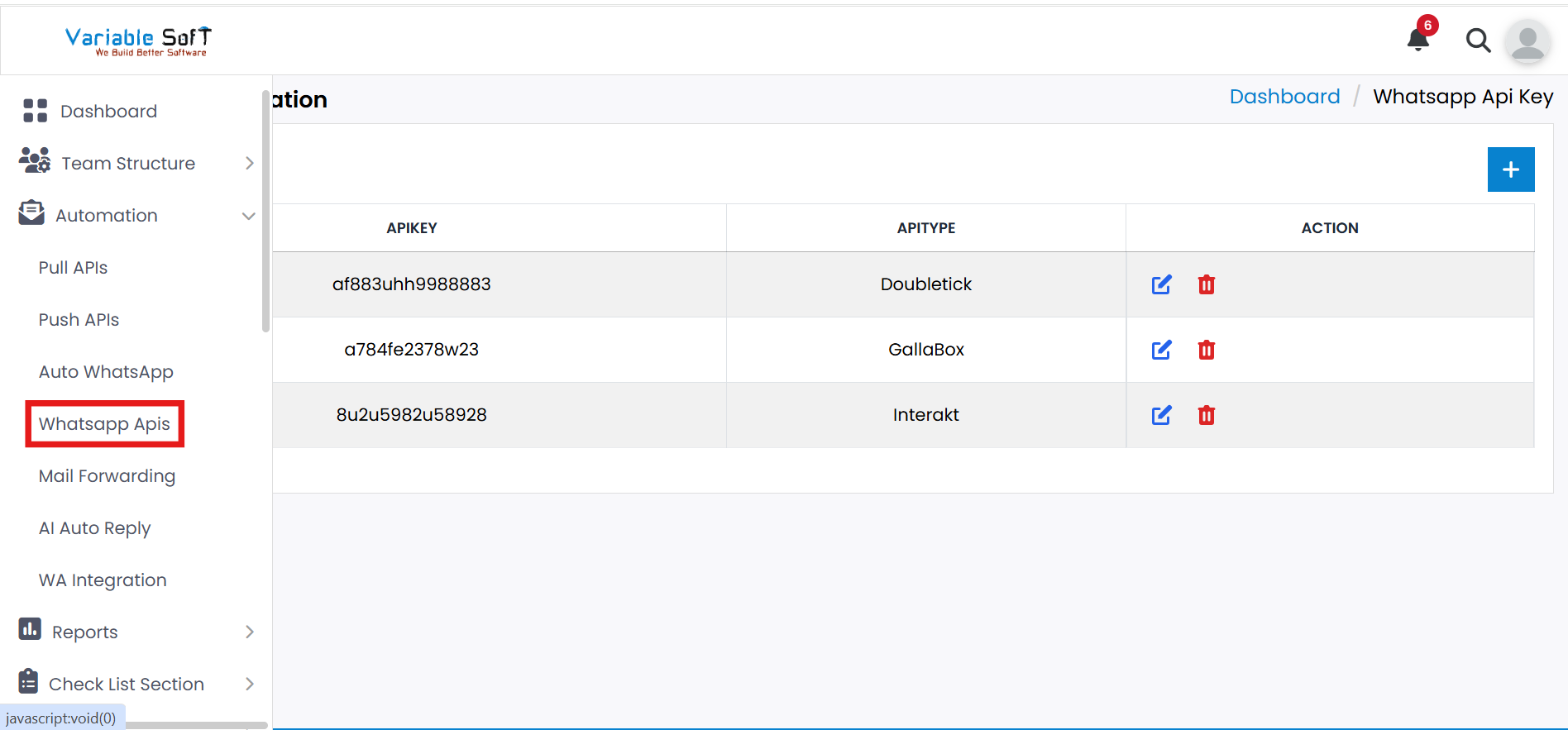
To access this feature, open your CRM Dashboard and click on Automation. From the dropdown menu, select WhatsApp APIs to open the WhatsApp Integration page.
Setup Instructions
-
Step 1
You can find the WhatsApp APIs option under the Automation section. Click on it to open the WhatsApp Integration page.
-
Step 2
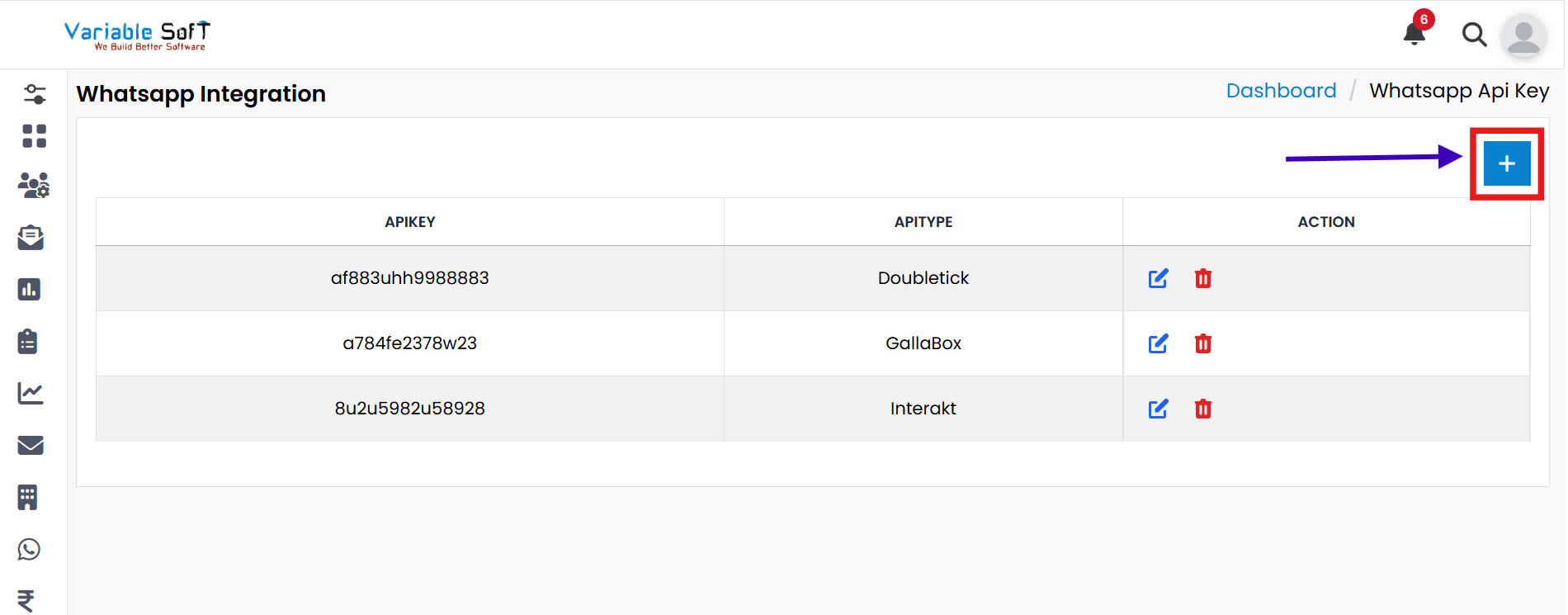
On this page, you can add API Key details. Click on the Add button to begin.
-
Step 3
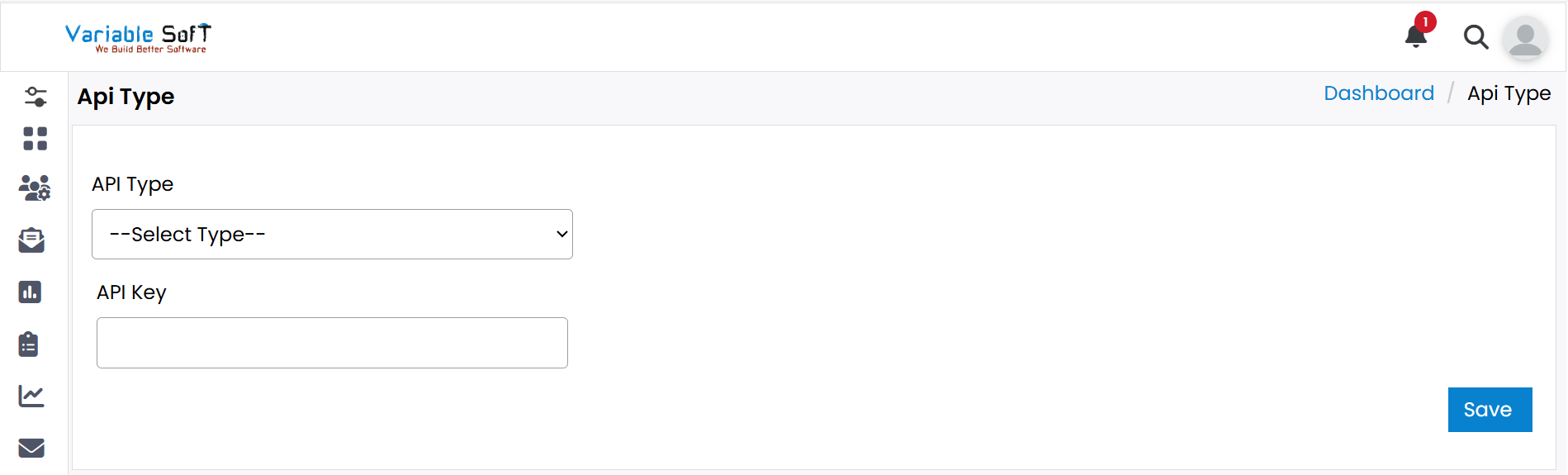
An API Type page will open. Choose the API type according to your requirement.
-
Step 4
Based on your selected API type, additional options will appear. Fill in all the required details accordingly.
-
Step 5
Finally, click on the Save button. Your WhatsApp API details will be successfully added.
Pro Tip: Choose Carefully
Select the correct API Type based on your business needs to ensure smooth WhatsApp integration and avoid configuration issues later.