Add Lead Automation Rule
Lead Automation Rule Instructions
-
Step 1
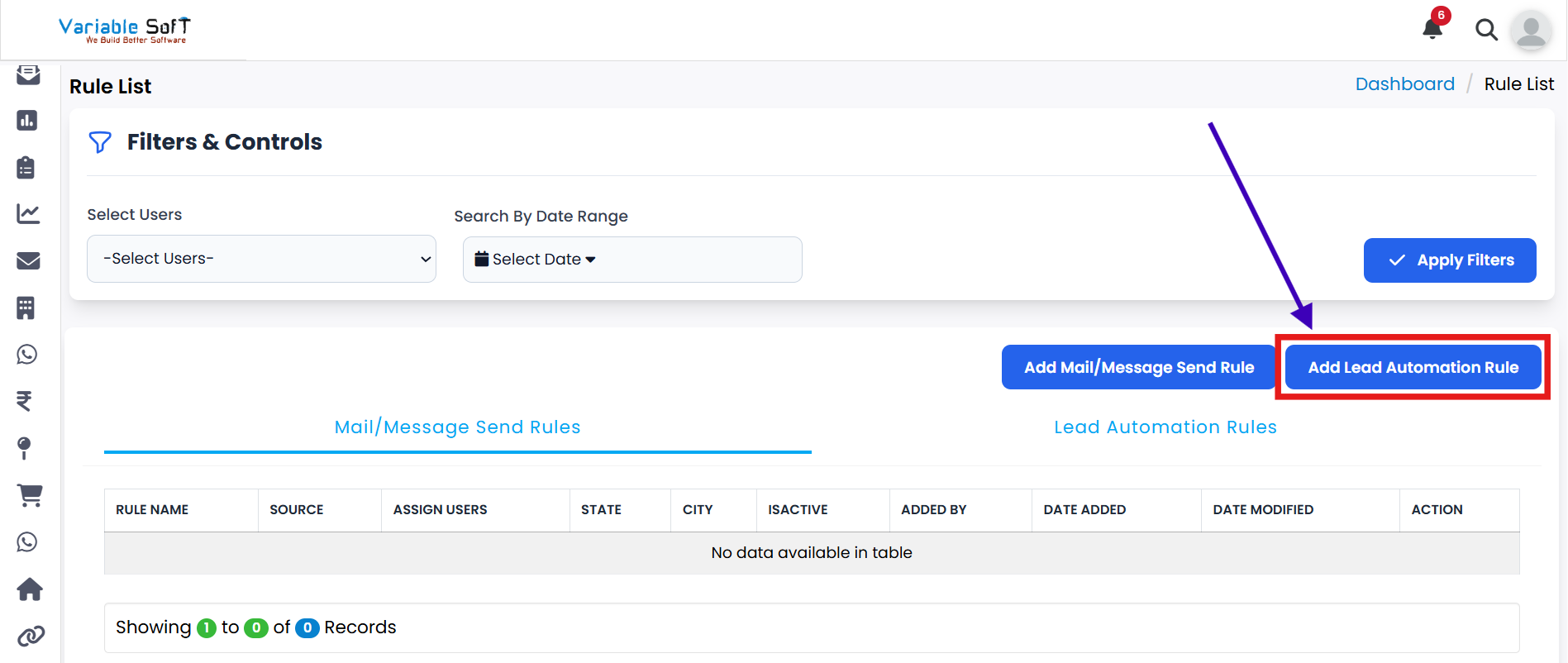
If you want to add a rule for lead automation, click on the Add Lead Automation Rule button.
-
Step 2
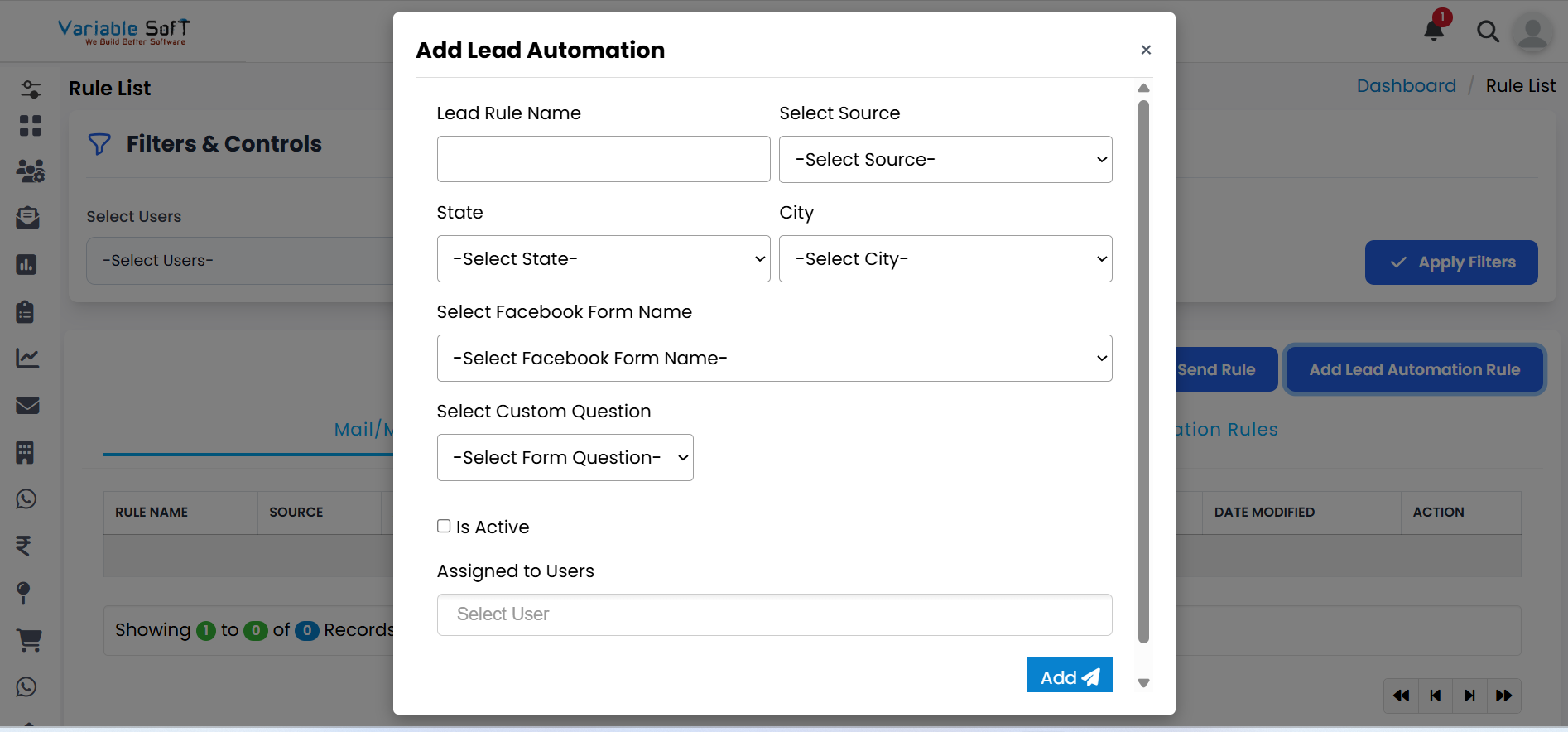
A form will open on your screen where you can configure the lead automation rule.
-
Step 3
Source is a mandatory field — without selecting a source, the rule will not be added.
-
Step 4
In the Assigned to Users section, choose the users you want to assign the rule to. You can select multiple users at a time.
-
Step 5
Once users are selected, their names will be displayed. Assign the percentage values to them according to your requirement. This controls how leads are distributed between users.
-
Step 6
After completing all the required fields, click the Add button to save your lead automation rule.
-
Step 7
Your rule will be added successfully and will start working based on the conditions you have set.
💡 Pro Tip: Assign Wisely
Assign automation rules only to relevant users to keep lead distribution balanced and workflows efficient. Review your percentages regularly to match your team’s capacity.