Add Block Wise Property Details
Add Block Wise Property Instructions
-
Step 1
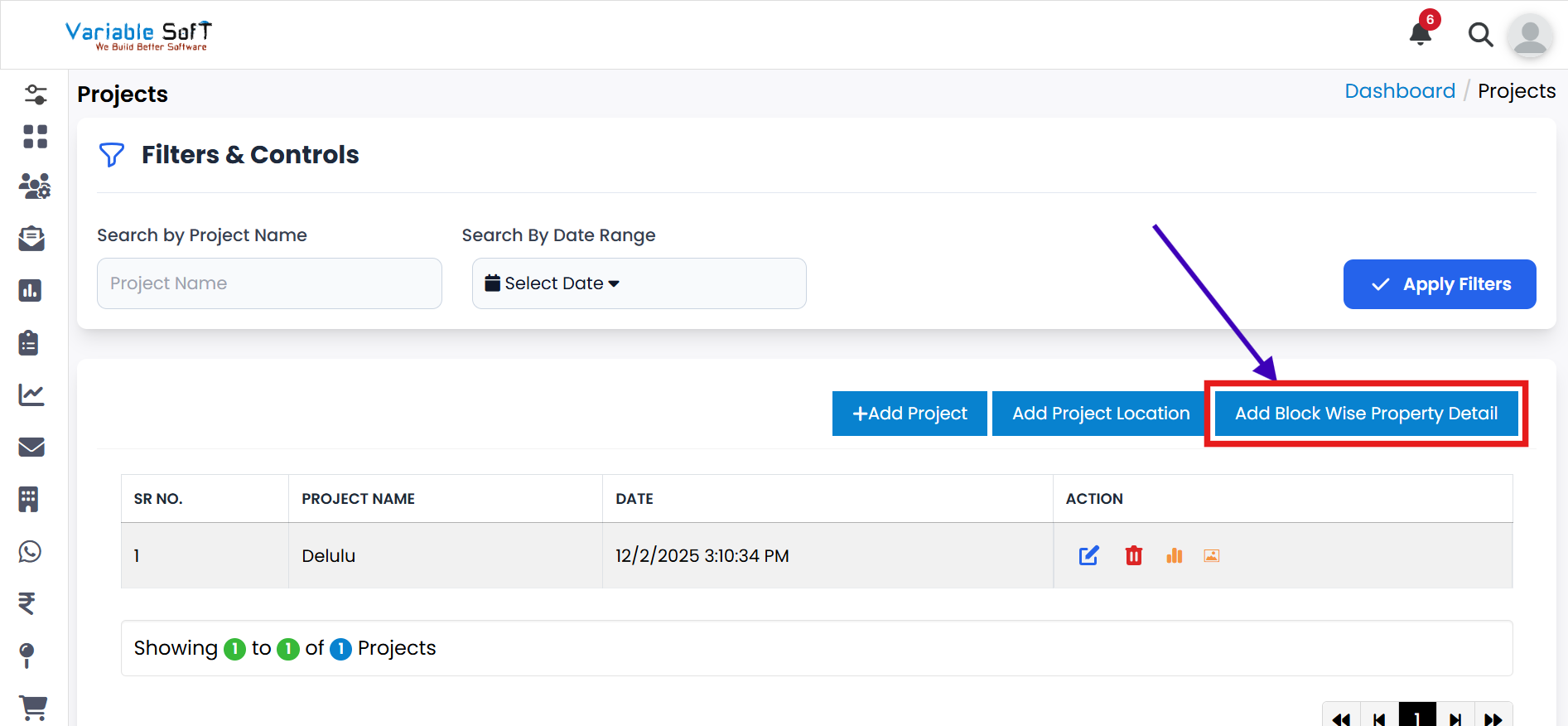
If you want to add any Block Wise Property, click on the Add Block Wise Property Details button.
-
Step 2
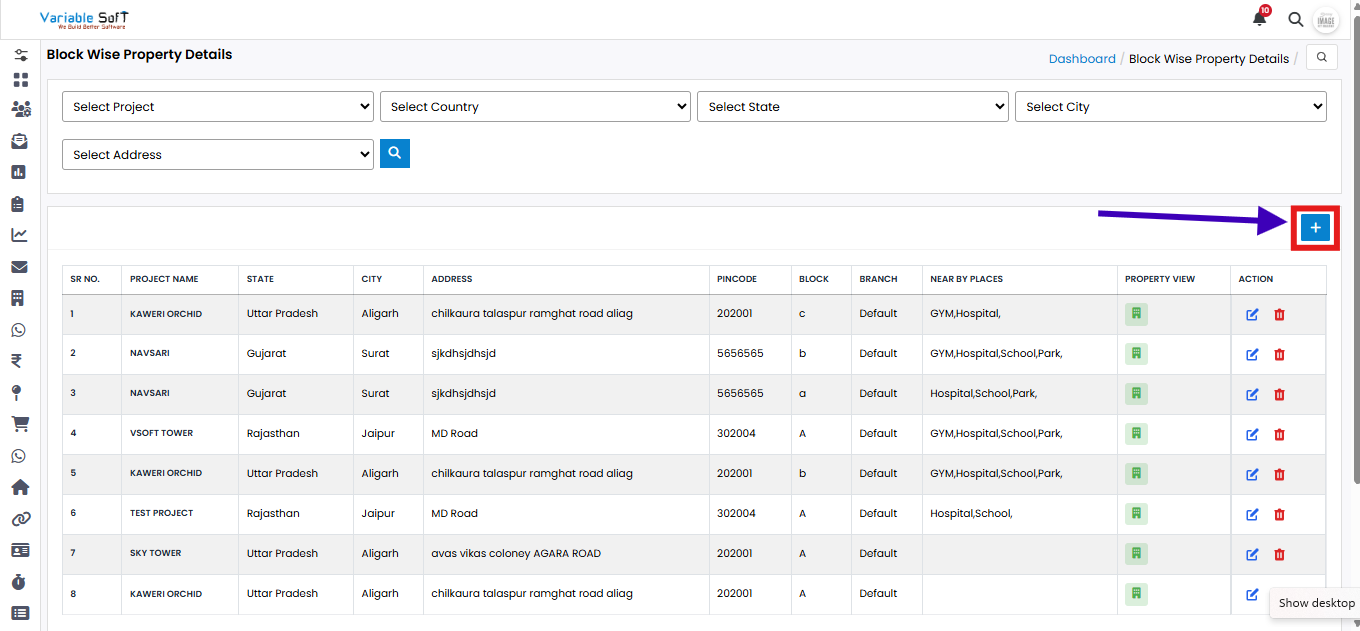
A Block Wise Property Details page will open.
-
Step 3
Click on the Add button.
-
Step 4
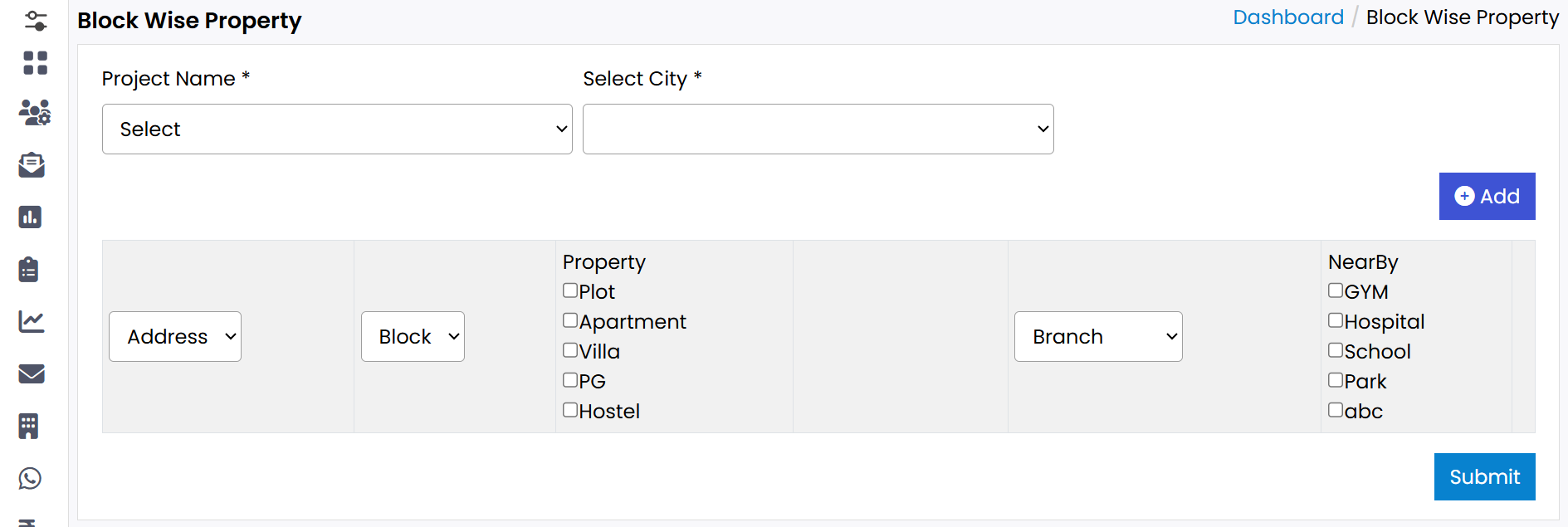
A Block Wise Property page will open.
-
Step 5
Fill in the Project Name and select City information.
-
Step 6
Enter the Address.
-
Step 7
If you want to add more Addresses, click on the Add button as per your need.
-
Step 8
Finally, click on the Submit button.
-
Step 9
Your Block Wise Property will be successfully added.
💡 Pro Tip: Add Block Wise Property Details Clearly
Make sure all property details, including city and address, are accurate to improve the management of properties.