Add Project
Add Project Instructions
-
Step 1
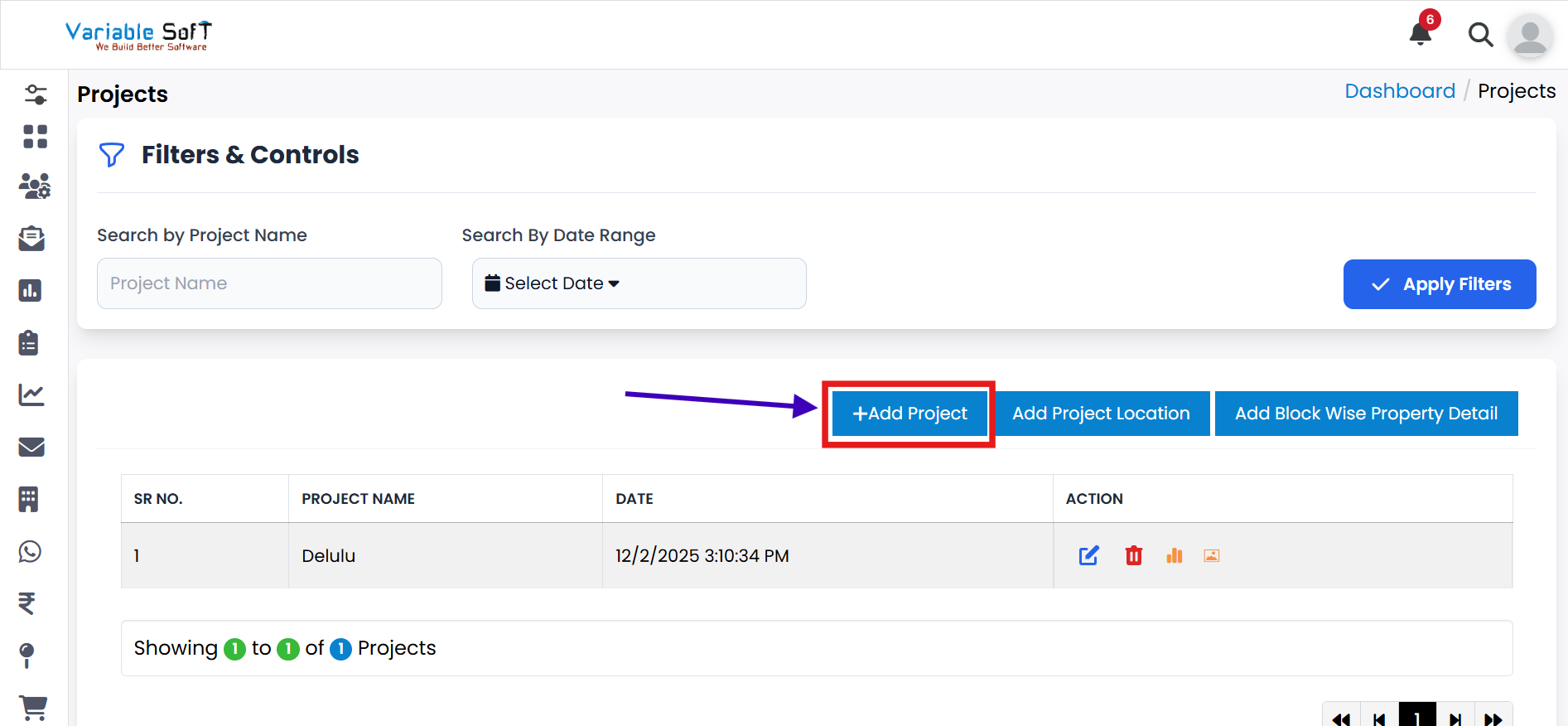
If you want to add any project, click on the Add Project button.
-
Step 2
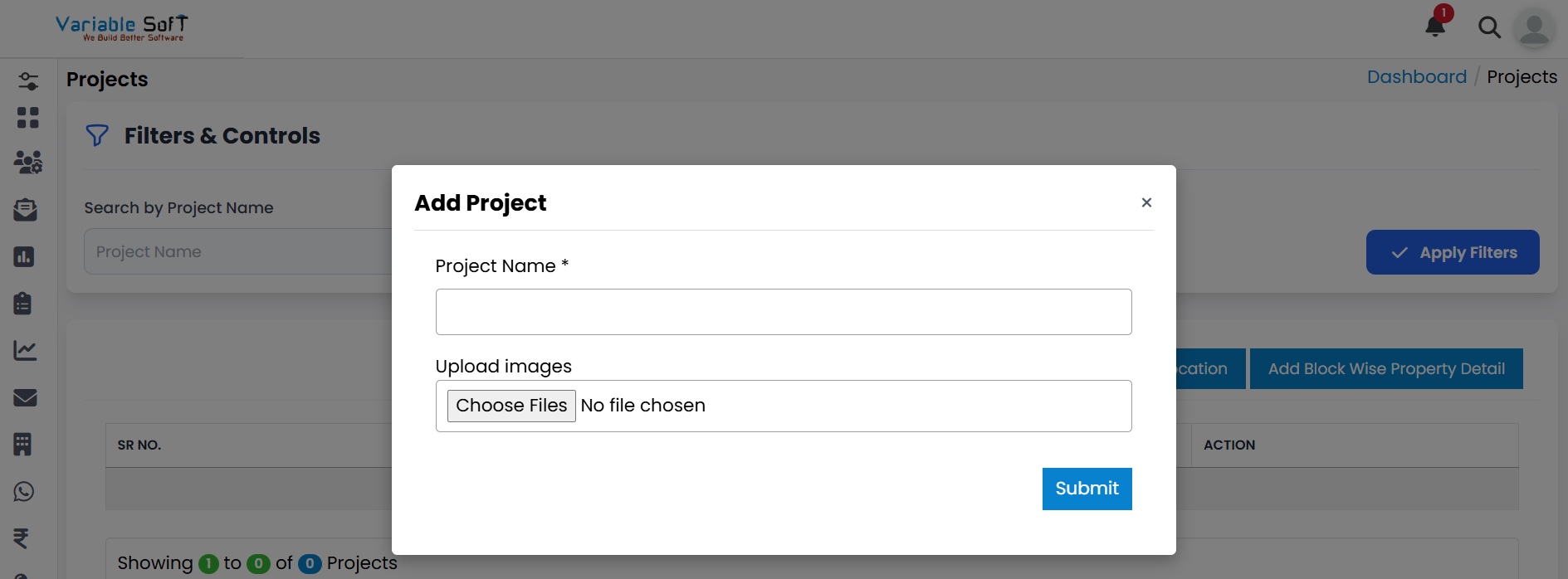
An Add Project pop-up will open.
-
Step 3
Fill in the Project Name and upload Project Images.
-
Step 4
Finally, click on the Submit button.
-
Step 5
Your project will be successfully added.
Quick Actions
💡 Pro Tip: Add Projects Clearly
Use descriptive names and relevant images for your projects. This helps in better project identification and representation.