SetUp Keywords Auto Message
SetUp Keywords Auto Message Instructions
-
Step 1
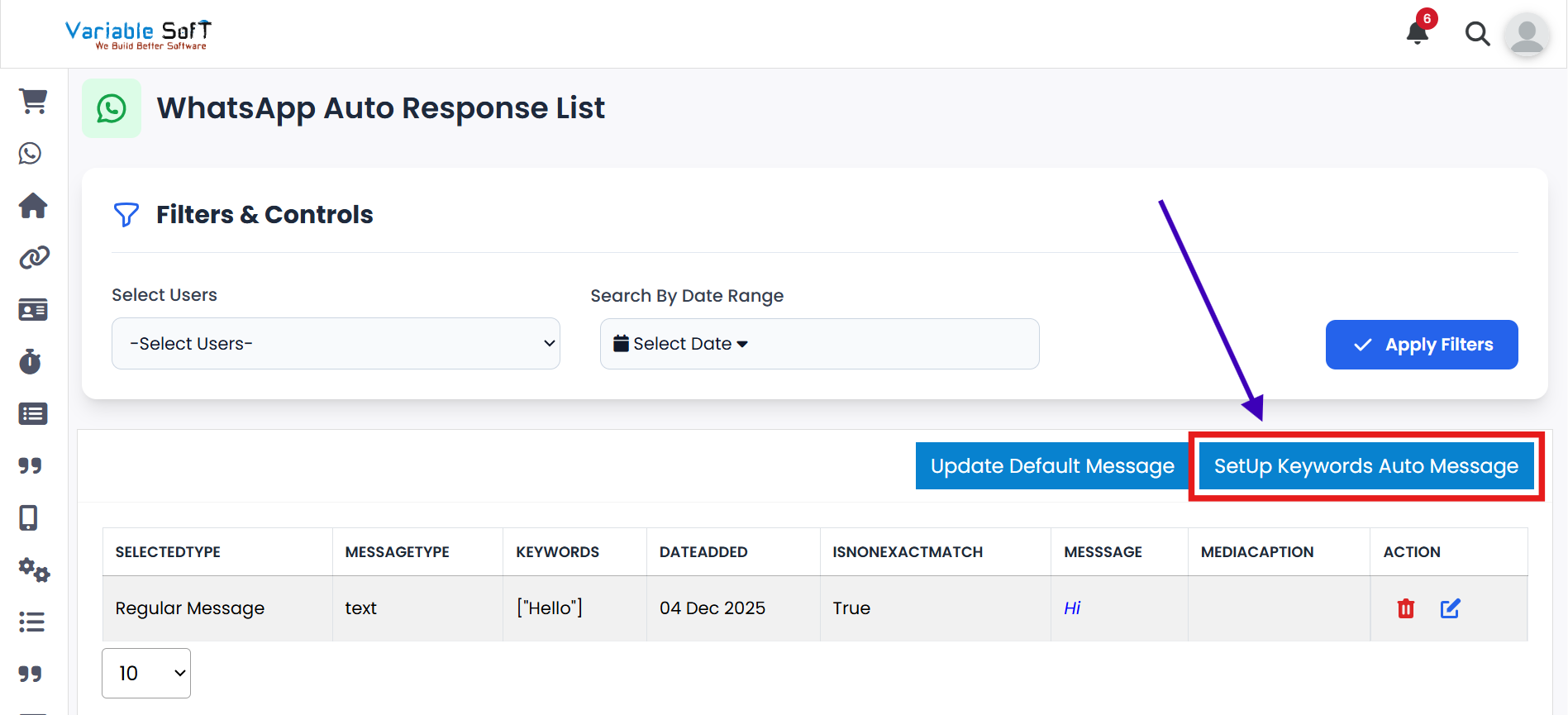
On the WhatsApp Auto Response List page, click on the SetUp Keywords Auto Message button.
-
Step 2
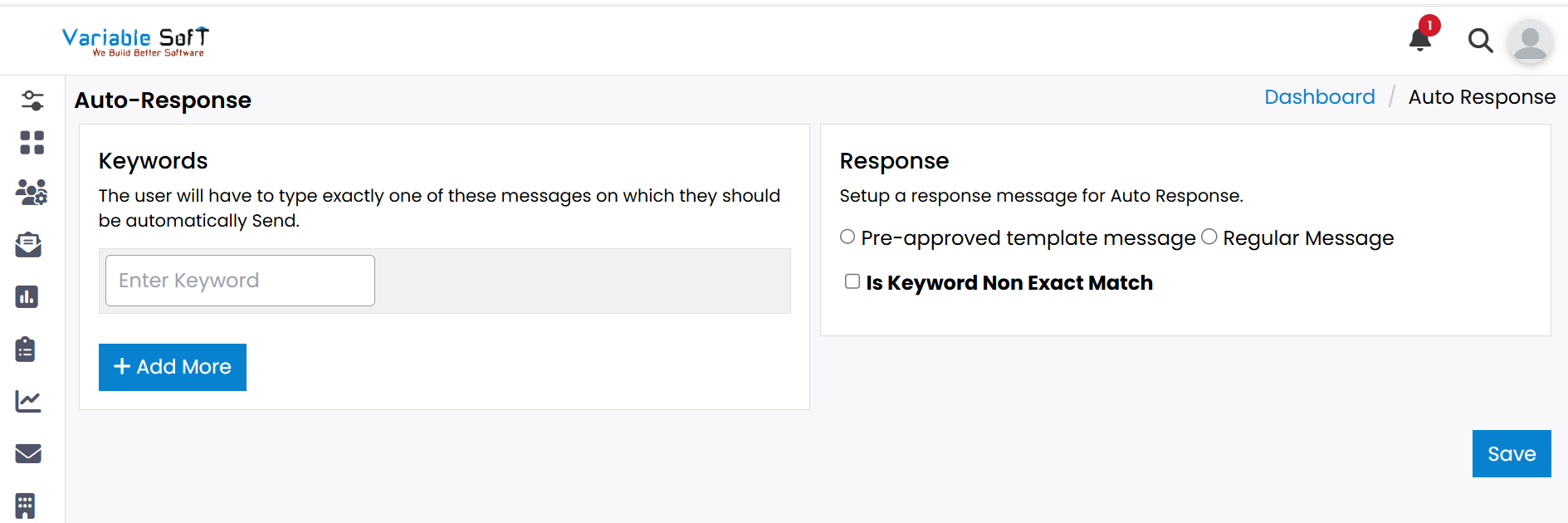
An Auto-Response page will open as shown in the image above.
-
Step 3
Fill in the required information such as Keywords and Response.
-
Step 4
If needed, click on the Add More button to add extra keywords.
-
Step 5
Select the type of response — Pre-approved template message or Regular message.
-
Step 6
Finally, click on the Save button. Your keywords will be successfully set up for auto response.
💡 Pro Tip: Make Auto-Response Smarter
Use clear and simple keywords so your customers trigger the right response. Enable Non Exact Match if you want flexible keyword matching.