New Template
New Template Instructions
-
Step 1
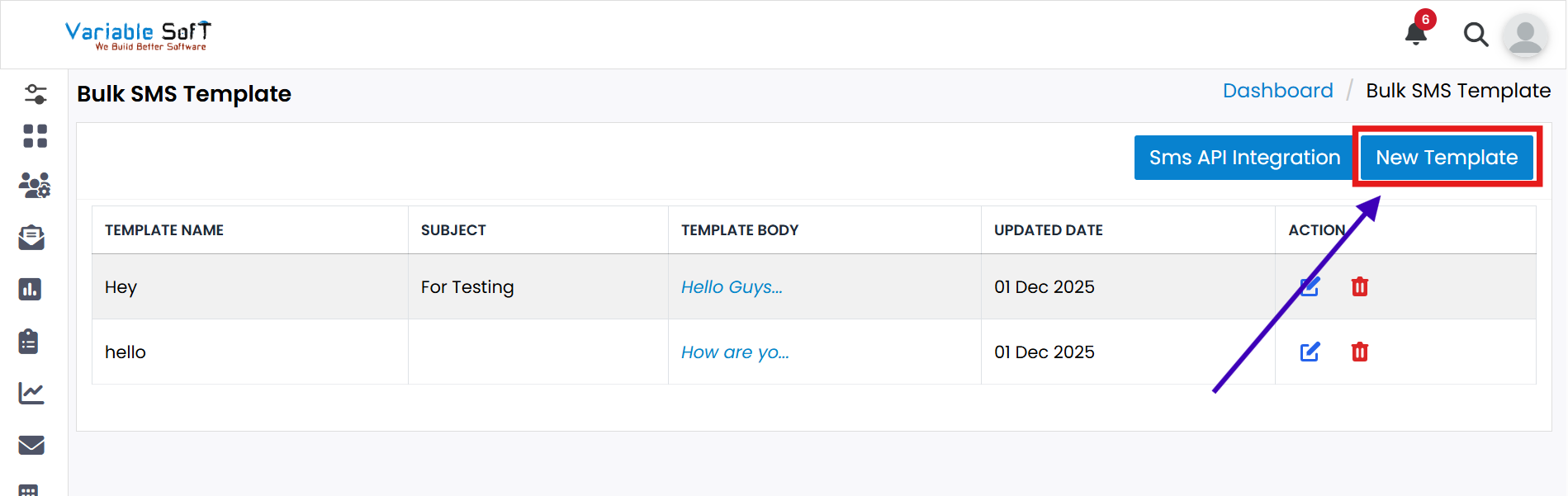
Click on the New Template button.
-
Step 2
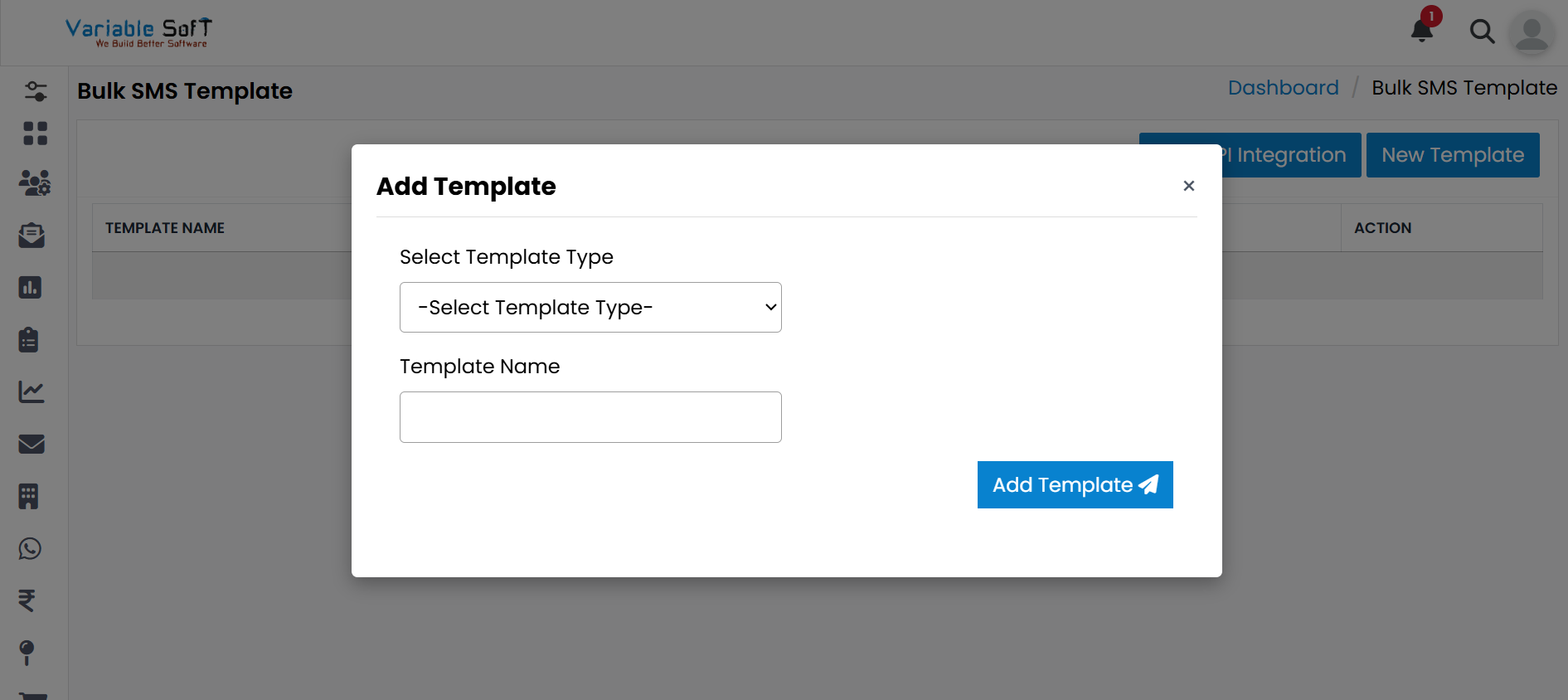
An Add Template pop-up will open.
-
Step 3
Select Template Type and Template Name.
-
Step 4
Click on the Add Template button.
-
Step 5
Your template will be successfully added.
💡 Pro Tip: Organize Templates Wisely
Use clear names and appropriate types for templates to make them easier to identify and reuse in the future.